
Download TradeUp – Zero Investment Trading App, Stock Simulation, Risk-Free Trading
Overview
TradeUp is a zero investment online trading app designed to provide users with a professional-grade platform for buying and selling stocks without any real financial commitment. The application operates in a simulated environment, allowing individuals to practice trading strategies using virtual funds. This approach eliminates the risk of monetary loss while offering a realistic experience of live market conditions. The primary purpose of TradeUp is to serve as an educational tool for aspiring traders, investors, and finance enthusiasts who wish to build confidence and competence in stock trading before entering real markets.
Target users include students, young professionals, and beginners exploring financial markets. By offering a risk-free environment, TradeUp democratizes access to trading education, making it accessible to individuals regardless of their financial background. Real-world usage scenarios include learning how to interpret market trends, testing entry and exit strategies, and understanding the emotional aspects of trading decisions. The app supports real-time market data, customizable watchlists, and technical analysis tools, enabling users to engage with the market as if they were trading with real money.
TradeUp is available exclusively on the Android platform and falls under the Business & Productivity category, specifically within Finance. The developer did not provide additional information about the company or organization behind the app. No specific release date or version number was disclosed. The app is designed with a clean and intuitive interface, aiming to reduce the learning curve for new users.
Key Features & Capabilities
- Simulated Trading Environment: Users can execute trades using virtual funds, enabling risk-free practice of buying and selling stocks. This feature allows individuals to test strategies without financial consequences.
- Real-Time Market Data: The app provides up-to-date market information, including stock prices, volume, and news updates, helping users stay informed and make timely decisions.
- Customizable Watchlists: Users can create and manage personal watchlists to monitor specific stocks, sectors, or indices, improving focus and tracking efficiency.
- Technical Analysis Tools: TradeUp includes a suite of analytical tools such as charts, moving averages, RSI, and MACD, supporting data-driven decision-making during simulated trades.
- Educational Resources: The platform offers tutorials, market insights, and expert commentary to help users deepen their understanding of financial markets and trading psychology.
These capabilities are particularly beneficial for users seeking to develop practical skills in a safe setting. For example, a student can use the app to simulate long-term investment strategies, while a young professional might test day-trading tactics. The integration of real-time data with educational content creates a comprehensive learning experience that bridges theory and practice. The app’s focus on simulation ensures that users gain hands-on experience without exposure to financial risk.
User Interface, Workflow & Performance
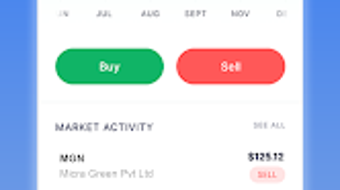
TradeUp features a clean and intuitive interface, designed to support ease of navigation for users of all experience levels. The layout emphasizes clarity, with clearly labeled sections for market data, watchlists, trade execution, and educational content. Navigation is streamlined, allowing users to switch between functions with minimal effort. The workflow is structured around the core activity of simulating trades, from selecting a stock to placing an order and reviewing performance.
Based on general software behavior patterns, the app appears optimized for responsive performance on Android devices. However, exact performance details were not specified. The developer did not provide information on CPU or RAM usage, nor did they share stability metrics. Users can expect a smooth experience on modern Android smartphones and tablets, though actual performance may vary depending on device capabilities and network conditions. The app does not require persistent internet connectivity for basic operations, but real-time data access depends on an active connection.
Overall, the interface prioritizes usability, reducing friction in the learning process. The absence of complex menus or cluttered dashboards contributes to a focused trading simulation experience. While no specific benchmarks were provided, the design suggests an emphasis on efficiency and accessibility for beginners.
Compatibility & System Requirements
TradeUp is available exclusively on the Android platform. The developer did not specify the minimum Android version required for installation. Similarly, no details were provided regarding the app’s installation size or hardware requirements. Compatibility information was partially provided, indicating that the app is designed for mobile devices running Android.
Exact system requirements were not listed. The developer did not disclose whether the app supports tablets, wearables, or other Android-compatible devices. Resource usage details, such as memory consumption or processor demands, were not specified. Users are advised to check the app’s listing on the Google Play Store for updated compatibility information. Performance observations are based on general software behavior patterns.
Pros and Cons
Pros
- Risk-free trading environment with virtual funds
- Real-time market data for accurate simulation
- Intuitive interface suitable for beginners
- Comprehensive educational content and tutorials
- Supports technical analysis tools for informed decision-making
Cons
- Available only on Android, limiting cross-platform access
- No information on system requirements or device compatibility
- Limited to mobile platform; no desktop or web version available
- Exact performance and resource usage details not disclosed
- App-specific updates and maintenance details not provided
FAQ Section
Is TradeUp available for iOS devices?
Currently, TradeUp is only available on the Android platform. There is no official iOS version announced.
Does TradeUp require a payment to use?
The provided information does not specify whether the app is free or paid. Users should refer to the Google Play Store listing for pricing details.
Can I use TradeUp offline?
While the app may allow limited access to saved data or educational content offline, real-time market data and trading functions require an active internet connection.
Is my personal information secure on TradeUp?
The developer did not provide specific details about data security or privacy practices. Users should review the app’s privacy policy on the Google Play Store.
How often are updates released for TradeUp?
Information about update frequency was not included. Users are advised to check the app’s update history on the Google Play Store for the latest version.
Final Thoughts + CTA
TradeUp stands out as a valuable tool for individuals seeking to learn about stock trading without financial risk. Its combination of simulated trading, real-time data, and educational resources creates a well-rounded experience for beginners and aspiring investors. The clean interface and focus on usability make it accessible to users with little to no prior experience. While the app is limited to Android and lacks detailed system specifications, its core functionality is well-aligned with its educational mission.
For students, finance enthusiasts, and young professionals looking to build confidence in trading, TradeUp offers a safe and practical way to gain experience. The app’s emphasis on learning over profit makes it a responsible choice for those entering the financial world. Despite some limitations in availability and transparency, the overall value proposition remains strong.
Download TradeUp now to start your journey in stock trading with confidence and zero investment.





.png)

